|
Electronic Components Datasheet Search |
|
|
Electronic Components Datasheet Search |
|
CC1110-RTY1 Datasheet(PDF) 183 Page - Texas Instruments |
|
|
|||||||||||||||||||||||||||||
CC1110-RTY1 Datasheet(HTML) 183 Page - Texas Instruments |
|
|
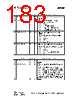
183 / 203 page 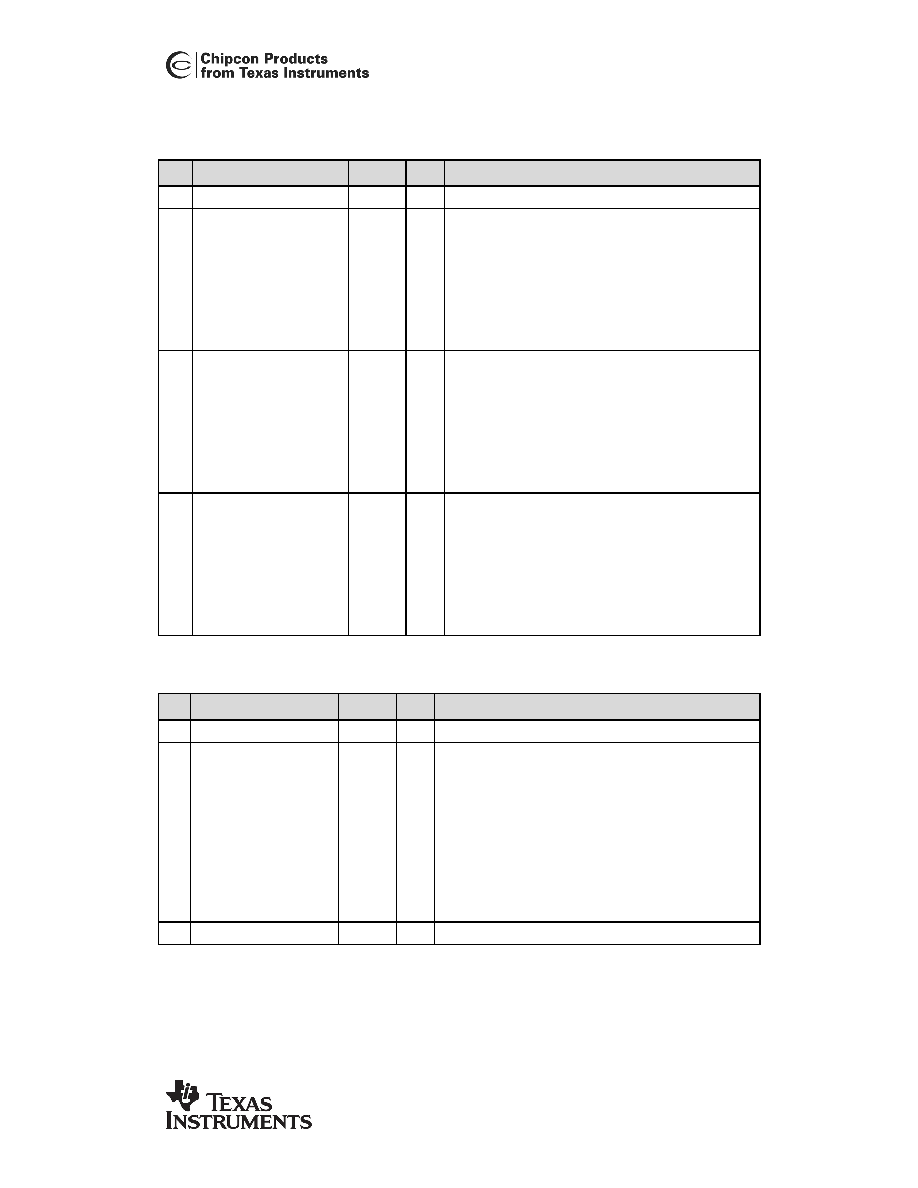 CC1110 CC1110 PRELIMINARY Datasheet (Rev. 1.01) SWRS033A Page 183 of 202 0xDF13: MCSM1 – Main Radio Control State Machine configuration Bit Field Name Reset R/W Description 7:6 - 00 R0 Reserved 5:4 CCA_MODE[1:0] 11 R/W Selects CCA_MODE; Reflected in CCA signal Setting Clear channel indication 0 (00) Always 1 (01) If RSSI below threshold 2 (10) Unless currently receiving a packet 3 (11) If RSSI below threshold unless currently receiving a packet 3:2 RXOFF_MODE[1:0] 00 R/W Select what should happen when a packet has been received Setting Next state after finishing packet reception 0 (00) IDLE 1 (01) FSTXON 2 (10) TX 3 (11) Stay in RX 1:0 TXOFF_MODE[1:0] 00 R/W Select what should happen when a packet has been sent (TX) Setting Next state after finishing packet transmission 0 (00) IDLE 1 (01) FSTXON 2 (10) Stay in TX (start sending preamble) 3 (11) RX 0xDF14: MCSM0 – Main Radio Control State Machine configuration Bit Field Name Reset R/W Description 7:6 - 00 R0 Reserved 5:4 FS_AUTOCAL[1:0] 00 R/W Automatically calibrate when going to RX or TX, or back to IDLE Setting When to perform automatic calibration 0 (00) Never (manually calibrate using SCAL strobe) 1 (01) When going from IDLE to RX or TX (or FSTXON) 2 (10) When going from RX or TX back to IDLE 3 (11) Every 4 th time when going from RX or TX to IDLE In some automatic wake-on-radio (WOR) applications, using setting 3 (11) can significantly reduce current consumption. 3:0 - 0100 R Reserved |
|
Link URL |
| Does ALLDATASHEET help your business so far? [ DONATE ] |
About Alldatasheet | Advertisement | Contact us | Privacy Policy | Link to Datasheet | Link Exchange | Manufacturer List All Rights Reserved©Alldatasheet.com |
| Russian : Alldatasheetru.com | Korean : Alldatasheet.co.kr | Spanish : Alldatasheet.es | French : Alldatasheet.fr | Italian : Alldatasheetit.com Portuguese : Alldatasheetpt.com | Polish : Alldatasheet.pl | Vietnamese : Alldatasheet.vn Indian : Alldatasheet.in | Mexican : Alldatasheet.com.mx | British : Alldatasheet.co.uk | New Zealand : Alldatasheet.co.nz |
|
Family Site : ic2ic.com |
icmetro.com |
 British ▼
 English
 Chinese
 German
 Japanese
 Russian
 Korean
 Spanish
 French
 Italian
 Portuguese
 Polish
 Vietnamese
 Indian
 Mexican
 British
 New Zealand