|
Electronic Components Datasheet Search |
|
|
Electronic Components Datasheet Search |
|
E5DC-RX2ASM-000 Datasheet(PDF) 108 Page - Omron Electronics LLC |
|
|
|||||||||||||||||||||||||||||
E5DC-RX2ASM-000 Datasheet(HTML) 108 Page - Omron Electronics LLC |
|
|
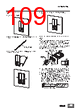
108 / 112 page  E5 @C/E5@C-T 108 • Removing a Unit Pull down on the DIN Track Hook with a flat-blade screwdriver and lift up the Unit. Removing the Main Unit Press in the two hooks on the Main Unit and remove the Main Unit from the Terminal Unit. End Plate Installation Make sure to attach PFP-M End Plates to the ends of the Units. Mounting the DIN Track Attach the DIN Track to the inside of the control panel with screws to at least three locations. • DIN Track (sold separately) PFP-50N (50 cm) and PFP-100N (100 cm) Install the DIN Track vertically to the ground. Mounting the Terminal Cover E5CC/E5CC-T Slightly bend the E53-COV23 Terminal Cover to attach it to the terminal block as shown in the following diagram. The Terminal Cover cannot be attached in the opposite direction. E53-COV17 Terminal Cover can be also attached. Make sure that the "UP" mark is facing up, and then attach the E53- COV17 Terminal Cover to the holes on the top and bottom of the Digital Temperature Controller. E5EC/E5AC/E5EC-T/E5AC-T Slightly bend the E53-COV24 Terminal Cover to attach it to the terminal block as shown in the following diagram. The Terminal Cover cannot be attached in the opposite direction. (1) (1) (2) Individual Mounting Group Mounting A B Vertical: OK Horizontal: NG Adapter Terminal Cover (E53-COV17) (Sold separately) E53-COV17 E53-COV23 Enlarged illustration of Terminal Section Enlarged illustration of the terminal part Slightly bend the E53-COV24 Terminal Cover in the direction shown by the arrows to attach it to the terminal block. |
|
Link URL |
| Does ALLDATASHEET help your business so far? [ DONATE ] |
About Alldatasheet | Advertisement | Contact us | Privacy Policy | Link to Datasheet | Link Exchange | Manufacturer List All Rights Reserved©Alldatasheet.com |
| Russian : Alldatasheetru.com | Korean : Alldatasheet.co.kr | Spanish : Alldatasheet.es | French : Alldatasheet.fr | Italian : Alldatasheetit.com Portuguese : Alldatasheetpt.com | Polish : Alldatasheet.pl | Vietnamese : Alldatasheet.vn Indian : Alldatasheet.in | Mexican : Alldatasheet.com.mx | British : Alldatasheet.co.uk | New Zealand : Alldatasheet.co.nz |
|
Family Site : ic2ic.com |
icmetro.com |
 British ▼
 English
 Chinese
 German
 Japanese
 Russian
 Korean
 Spanish
 French
 Italian
 Portuguese
 Polish
 Vietnamese
 Indian
 Mexican
 British
 New Zealand