|
Electronic Components Datasheet Search |
|
|
Electronic Components Datasheet Search |
|
PN4224 Datasheet(PDF) 12 Page - Mallory performance club |
|
|
|||||||||||||||||||||||||||||
PN4224 Datasheet(HTML) 12 Page - Mallory performance club |
|
|
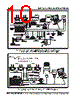
12 / 24 page  12 INSTALLATIONINSTRUCTIONS MSD POWERSPORTS • WWW.MSDPOWERSPORTS.COM • (915) 858-3365 • FAX (915) 858-3496 Figure 13 Using a Sync Signal or Map Sensor. PROGRAMMING THE MC-4 These instructions will walk you through the different programming features of the MC-4 Ignition using the Pro-Data+ Software. INSTALLATION 1. Insert the installation CD into your CD drive. 2. In Windows click “Start” then Select “Run”. 3. In the box type “D:\Setup” (or corresponding drive) Press Enter. 4. The screen will walk you through several steps. 5. Once loaded, your monitor will have an MSD Graph View logo. Click on it to open the software. 6. A program will open. Go to the upper left corner of the screen and click on File, then Open. 7. This will open a menu of part numbers. Select "4224". 8. This will open another menu of versions. Highlight and open the "MC4vxx.IGN" (xx = The latest version #; Example "03". This will open the Pro-Data+ software for the Ignition Controller. At this point you are in the default setting for the MC-4 Ignition. When you make a change to this file always select the “Save As” option and rename the new file. MONITOR The rpm meter is a graphical interface that allows you to monitor the rpm, boost pressure and retard functions of the MC-4 while the engine is running. The dial on the left side will indicate the total rpm and boost pressure of the engine in real time. The dial on the right side will show the total degrees retard sum while the bar graph in the lower right corner will show you the total degrees for each cylinder. Figure 14 RPM and Retard Monitor. |
|
|
Link URL |
| Does ALLDATASHEET help your business so far? [ DONATE ] |
About Alldatasheet | Advertisement | Contact us | Privacy Policy | Link to Datasheet | Link Exchange | Manufacturer List All Rights Reserved©Alldatasheet.com |
| Russian : Alldatasheetru.com | Korean : Alldatasheet.co.kr | Spanish : Alldatasheet.es | French : Alldatasheet.fr | Italian : Alldatasheetit.com Portuguese : Alldatasheetpt.com | Polish : Alldatasheet.pl | Vietnamese : Alldatasheet.vn Indian : Alldatasheet.in | Mexican : Alldatasheet.com.mx | British : Alldatasheet.co.uk | New Zealand : Alldatasheet.co.nz |
|
Family Site : ic2ic.com |
icmetro.com |
 British ▼
 English
 Chinese
 German
 Japanese
 Russian
 Korean
 Spanish
 French
 Italian
 Portuguese
 Polish
 Vietnamese
 Indian
 Mexican
 British
 New Zealand