|
Electronic Components Datasheet Search |
|
|
Electronic Components Datasheet Search |
|
7531 Datasheet(PDF) 4 Page - Mallory performance club |
|
|
|||||||||||||||||||||||||||||
7531 Datasheet(HTML) 4 Page - Mallory performance club |
|
|
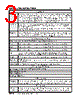
4 / 20 page  4 INSTALLATION INSTRUCTIONS MSD • W W W. M S D PE R F OR M A NC E . C OM • ( 91 5 ) 8 57 - 5 20 0 • F AX ( 91 5 ) 8 57 - 33 4 4 PRO-DATA+ INSTALLATION OF THE PRO-DATA+ SOFTWARE 1. Insert the installation CD Rom into the CD drive, wait up to 30 seconds, the CD will auto run, IF THIS DOES NOT OCCUR: Locate and open the CD Drive. Double click on the autorun.exe file. 2. Select “Click here to Install Version X.XX”. 3. Once loaded, your monitor will have an MSD Pro-Data Plus X.XX logo. Accept the agreement. Drive the installation to your program files folder, press the enter key. The installation will complete, select OK. 4. A window will be opened with two aliases, double-click on the MSD GraphView alias to launch the software. In the GraphView window, drag down on file and open. This will display a listing of different part number folders. Open the 7531 folder and select your version. Double clicking the version will launch the Pro-Data+ software for the Programmable Digital-7 Plus Ignition. SAVES AND TRANSFERS Whenever a change is made to a program, it either must be saved to a file in your PC or it needs to be transferred to the ignition. You will notice that whenever you make a change to a program, the bullet next to the modified value will turn red. It will remain red until you save it to a file or to the MSD. There are two ways to save your files. Figure 1 Wiring the Programmable Digital-7 Plus Ignition. |
|
|
Link URL |
| Does ALLDATASHEET help your business so far? [ DONATE ] |
About Alldatasheet | Advertisement | Contact us | Privacy Policy | Link to Datasheet | Link Exchange | Manufacturer List All Rights Reserved©Alldatasheet.com |
| Russian : Alldatasheetru.com | Korean : Alldatasheet.co.kr | Spanish : Alldatasheet.es | French : Alldatasheet.fr | Italian : Alldatasheetit.com Portuguese : Alldatasheetpt.com | Polish : Alldatasheet.pl | Vietnamese : Alldatasheet.vn Indian : Alldatasheet.in | Mexican : Alldatasheet.com.mx | British : Alldatasheet.co.uk | New Zealand : Alldatasheet.co.nz |
|
Family Site : ic2ic.com |
icmetro.com |
 British ▼
 English
 Chinese
 German
 Japanese
 Russian
 Korean
 Spanish
 French
 Italian
 Portuguese
 Polish
 Vietnamese
 Indian
 Mexican
 British
 New Zealand