|
Electronic Components Datasheet Search |
|
|
Electronic Components Datasheet Search |
|
TAT07-R01 Datasheet(PDF) 14 Page - EM Microelectronic - MARIN SA |
|
|
|||||||||||||||||||||||||||||
TAT07-R01 Datasheet(HTML) 14 Page - EM Microelectronic - MARIN SA |
|
|
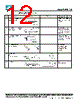
14 / 17 page  365324.CP37 / B This document is the property of EM MICROELECTRONIC-MARIN SA and is furnished in confidence and upon the condition that all rights originating in the information, whether patented or not, will be respected. EM Document Center/04.08 - Page 14 of 17 8. OPERATIONS PRECAUTIONS 8.1 SAFETY • If the display panel breaks, be careful not to get the residues in your mouth or in your eyes. • If the residues touch your skin or clothes, wash it off using soap and water. 8.2 HANDLING • The display is plate glass; do not hit or crush it. • The polarizer of the display is very fragile; handle it very carefully. • Do not soil or damage the display terminals. • Keep the display surface clean. Do not touch it with your skin. • Display module is ESD sensitive, to be handled with usual ESD precautions. 8.3 MOUNTING AND DESIGN • If any force is applied to the polarizer, bubbles or separation may occur. • Leave a gap so that the display, excluding the fixing portion, does not touch other components. • Make a window smaller than the viewing area. • To protect the display from external pressure, place a transparent plate (acrylic or glass) over the display surface having a small gap. • Avoid condensation, otherwise the transparent electrodes may break. 8.4 STORAGE • For long-time storage, keep in a dark place at 25°C ± 10°C, 65% RH maximum. • Do not store the display near organic solvents or corrosive gases. 8.5 CLEANING • Do not wipe the polarizing plate with a dry cloth, as it may scratch the surface. • Wipe the module gently with a soft cloth soaked with a perfluorine-hexane or iso-propanol. • Do not use ketonic solvents (ketone and acetone) or aromatic solvents (toluene and xylene), as they may damage the plastic cover plate. |
|
|
Link URL |
| Does ALLDATASHEET help your business so far? [ DONATE ] |
About Alldatasheet | Advertisement | Contact us | Privacy Policy | Link to Datasheet | Link Exchange | Manufacturer List All Rights Reserved©Alldatasheet.com |
| Russian : Alldatasheetru.com | Korean : Alldatasheet.co.kr | Spanish : Alldatasheet.es | French : Alldatasheet.fr | Italian : Alldatasheetit.com Portuguese : Alldatasheetpt.com | Polish : Alldatasheet.pl | Vietnamese : Alldatasheet.vn Indian : Alldatasheet.in | Mexican : Alldatasheet.com.mx | British : Alldatasheet.co.uk | New Zealand : Alldatasheet.co.nz |
|
Family Site : ic2ic.com |
icmetro.com |
 British ▼
 English
 Chinese
 German
 Japanese
 Russian
 Korean
 Spanish
 French
 Italian
 Portuguese
 Polish
 Vietnamese
 Indian
 Mexican
 British
 New Zealand